
Copilot Modes
🚀 New Features
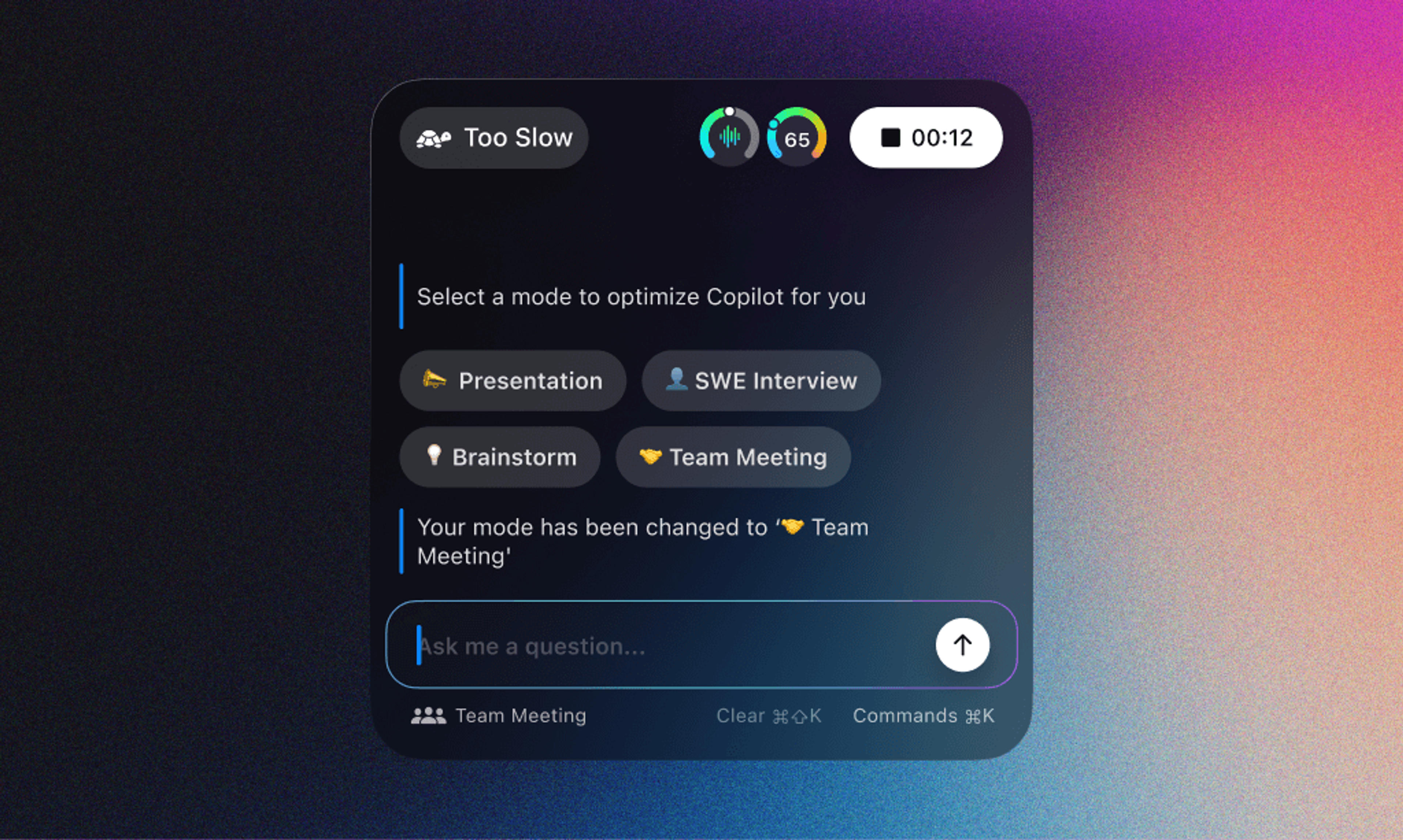
Customizable Modes for AI Experience
We're excited to announce that Copilot now features bold, versatile modes. This means users can take personalization to the next level by customizing their AI experience to fit specific scenarios. Whether you're handling interviews, conducting brainstorming sessions, or running regular weekly meetings, tailoring your AI experience is now at your fingertips. Enjoy a more personalized, efficient, and user-friendly interaction with Copilot.
Improved Meeting Summaries
We've boosted the functionality of our meeting summaries. Users are now empowered to actively edit their summaries, providing the freedom to remove any topics, key points, or tasks they consider unnecessary or irrelevant. This welcome addition streamlines the user journey and aids in generating more accurate and concise weekly digests. Stay on top of your team's projects with our enhanced meeting summaries feature.
🐛 Bug Fixes
Flickering Tooltips
We've squashed the annoying bug that was causing the tooltips in Copilot to flicker. We've fine-tuned the user interface for a more optimal interaction with the platform.
💪 Continuous Improvement
Our dedication to providing a high-quality, reliable, and user-centric AI tool remains steadfast. We continually work on improvements and enhancements to ensure you get the best AI experience.
Remember, your feedback is crucial in our mission to keep improving your AI experience. Feel free to share your experience and suggestions with us. Happy navigating!
As always, keep an eye out for more updates—we're continually innovating and we have a lot more in store for you!
Try the latest version of Spellar
Bot-free meeting notes powered by the best AI models. Download Spellar and experience every update firsthand.